
Loading Project
Preparing project details
Preparing project details
Search for a command to run...
Project Overview
full stack automation platform - N8N , Zapier like
/Nodebase
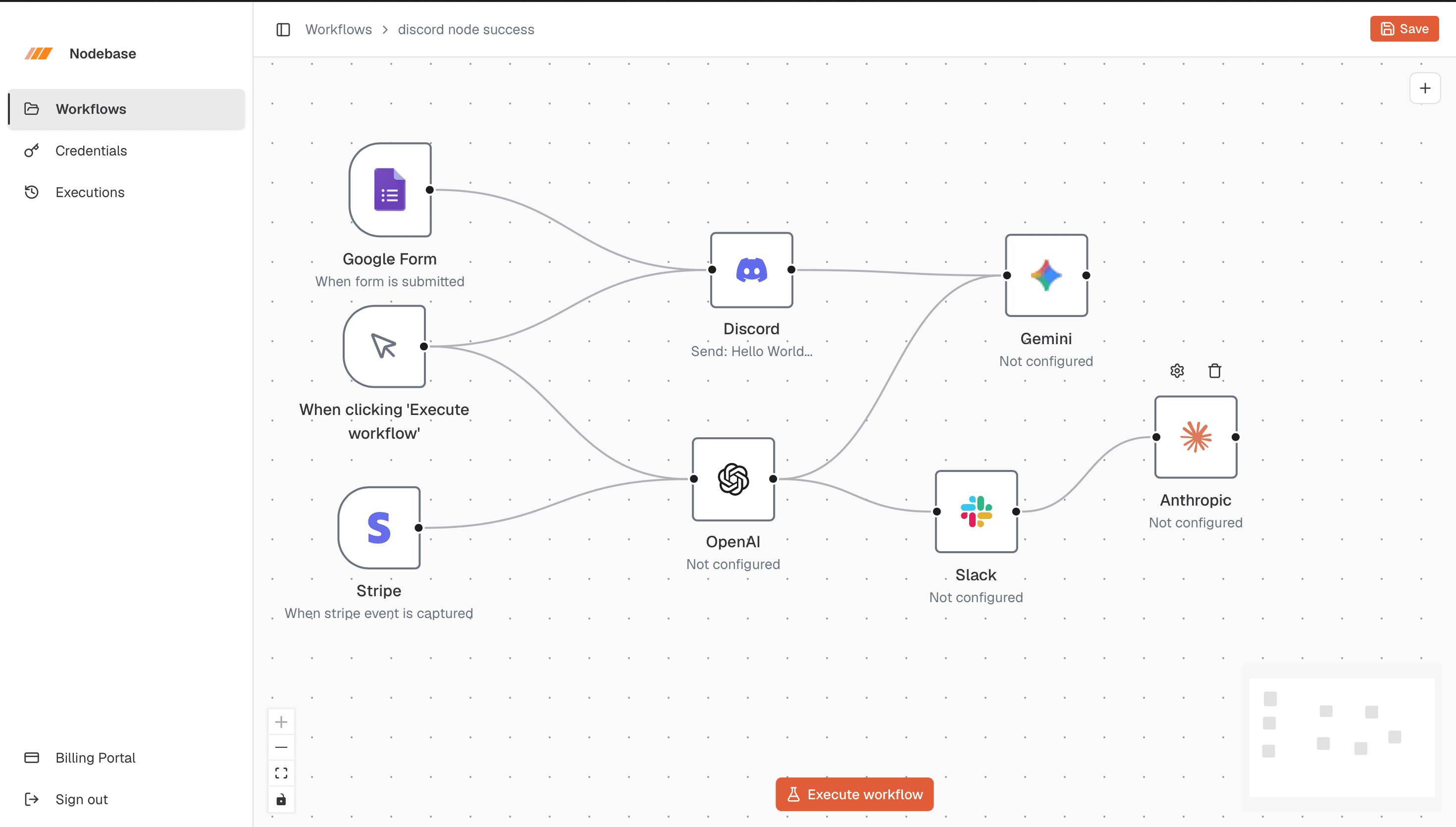
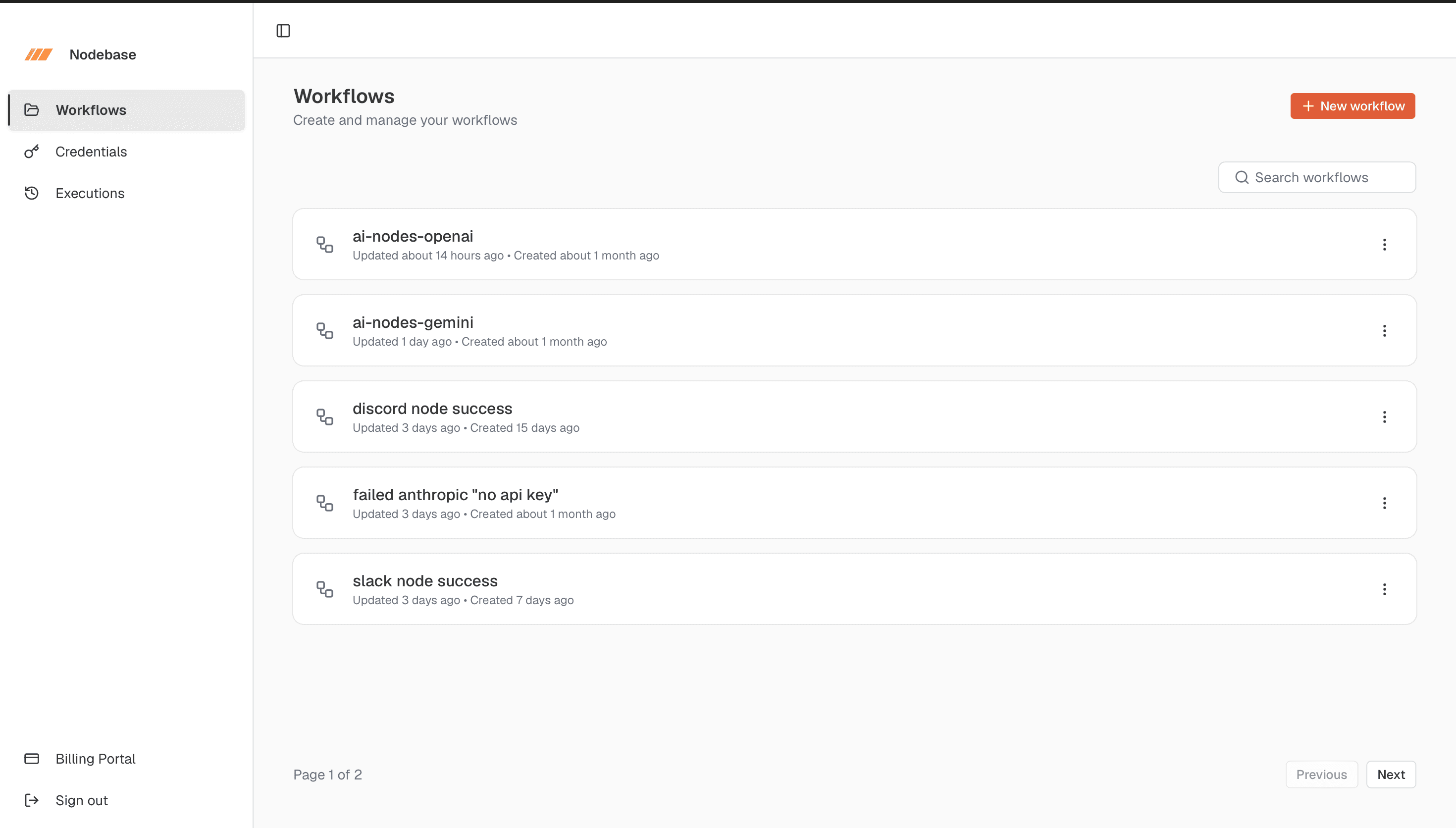
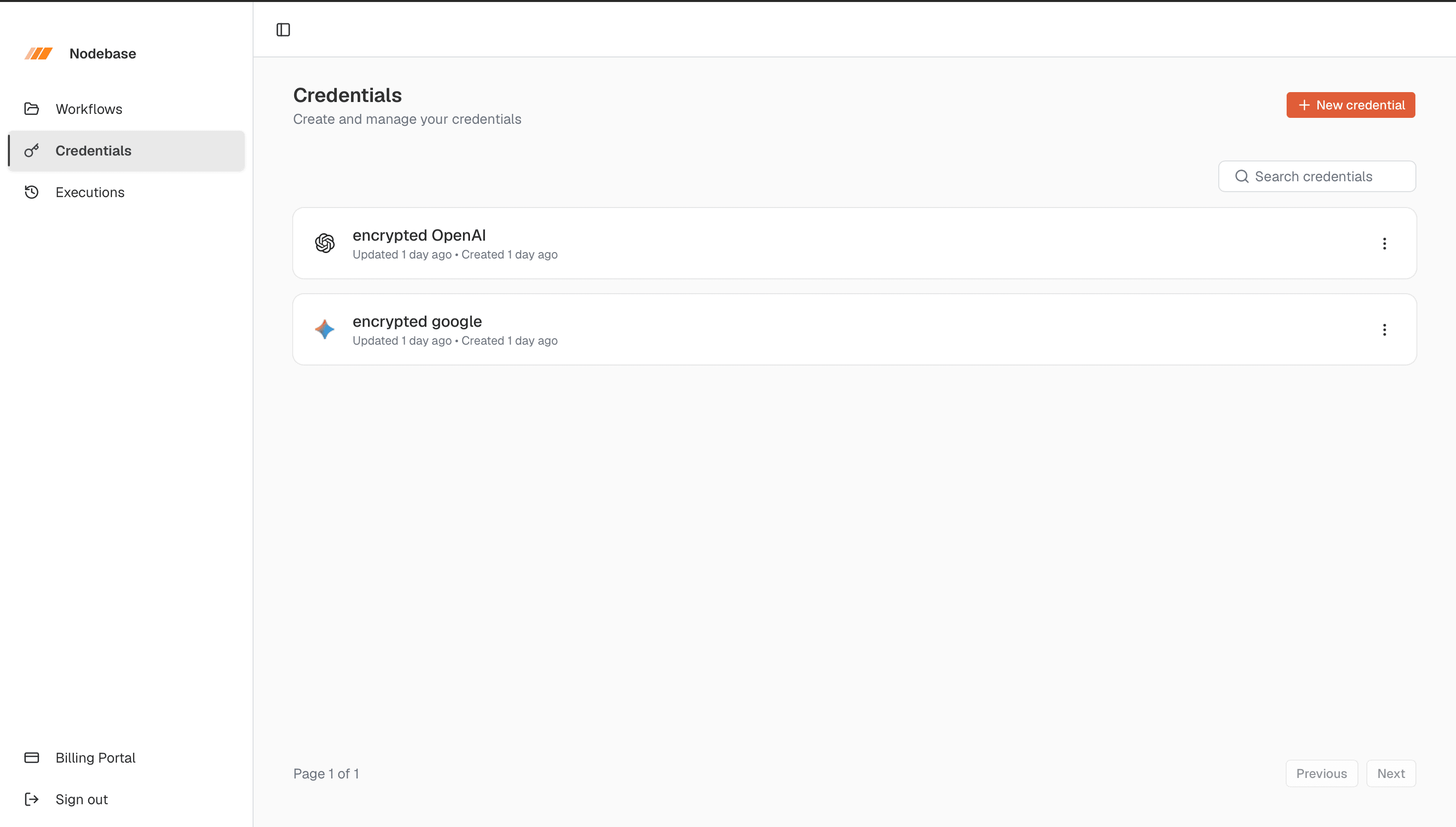
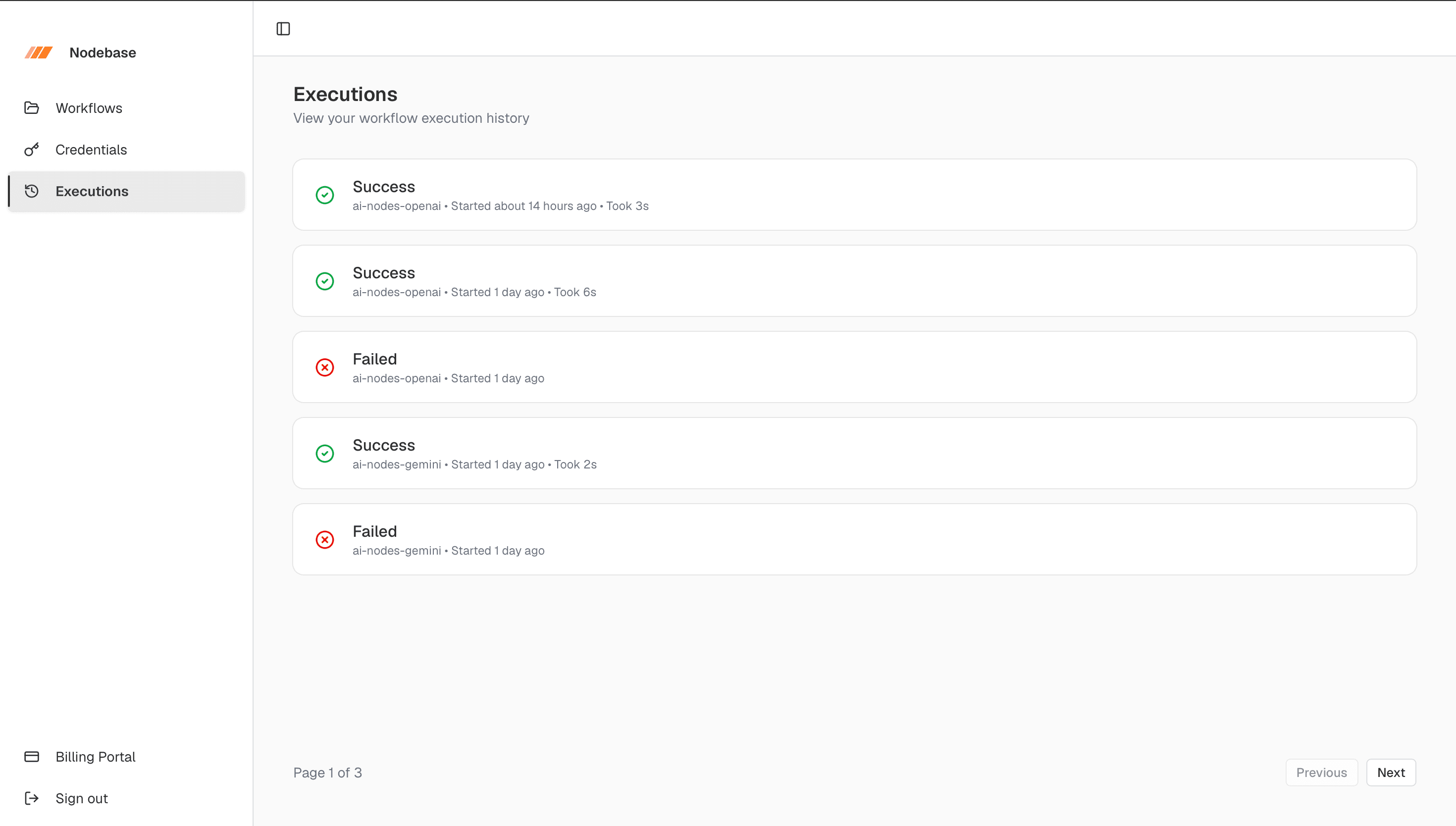
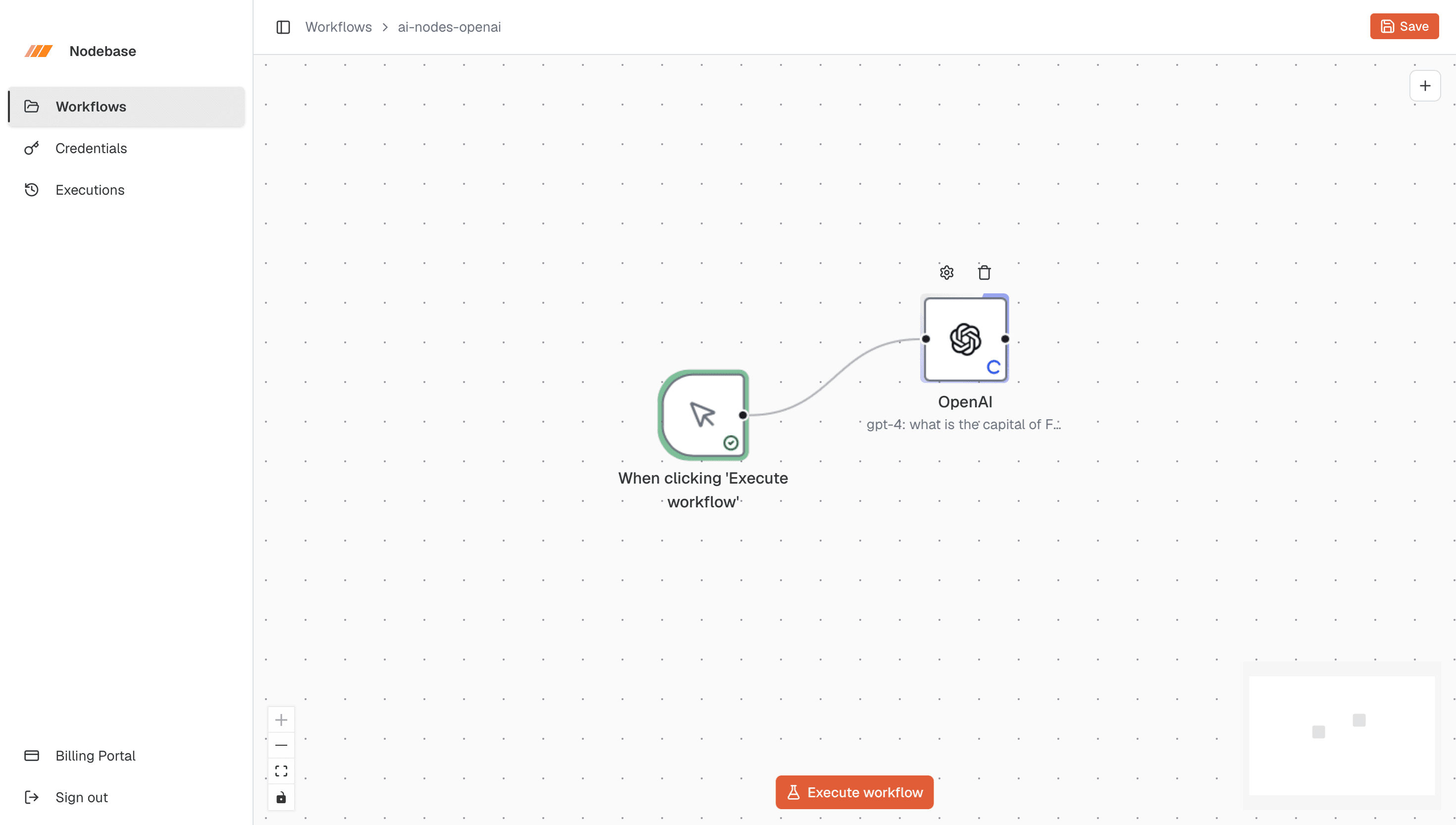
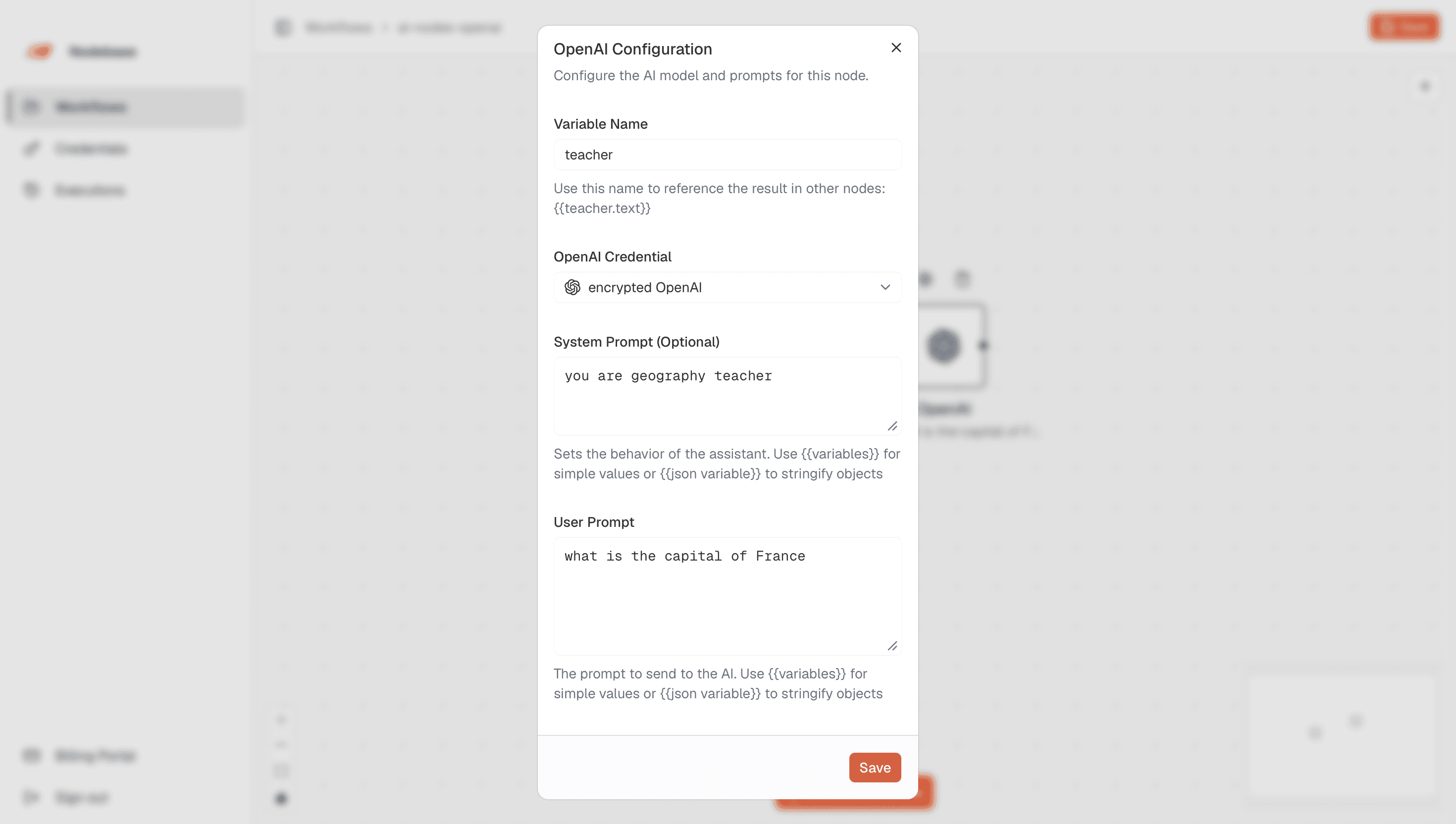
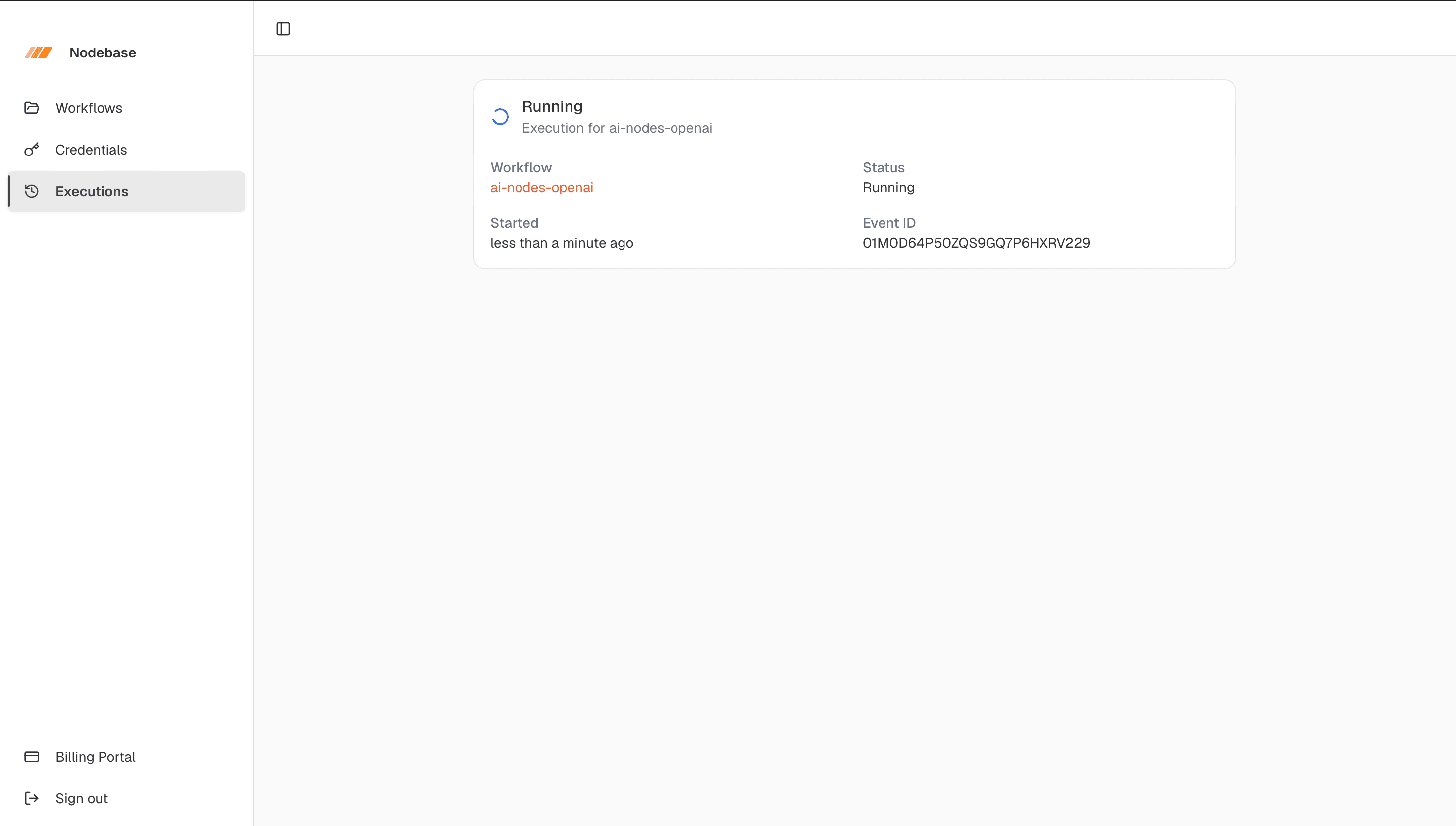
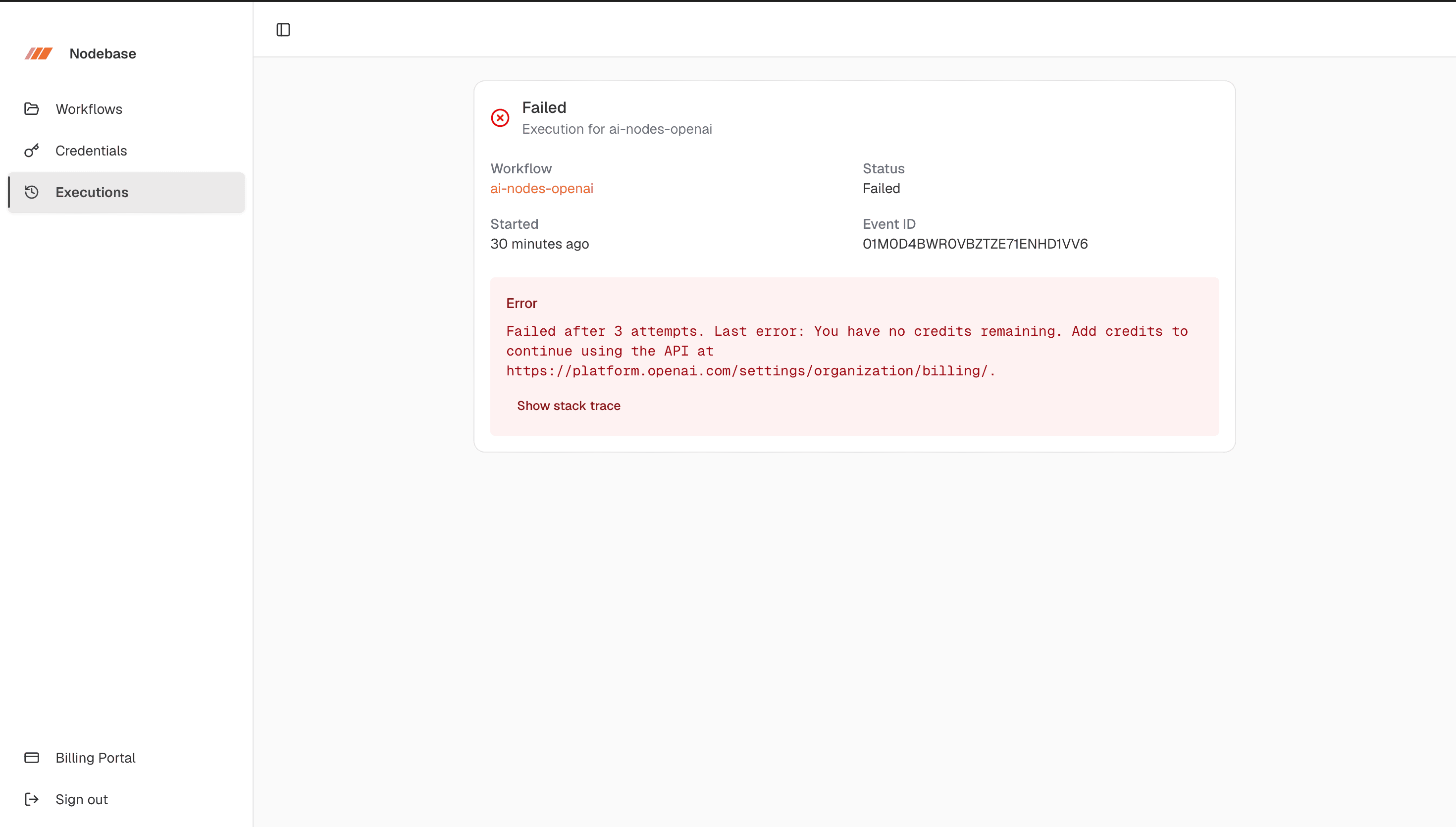
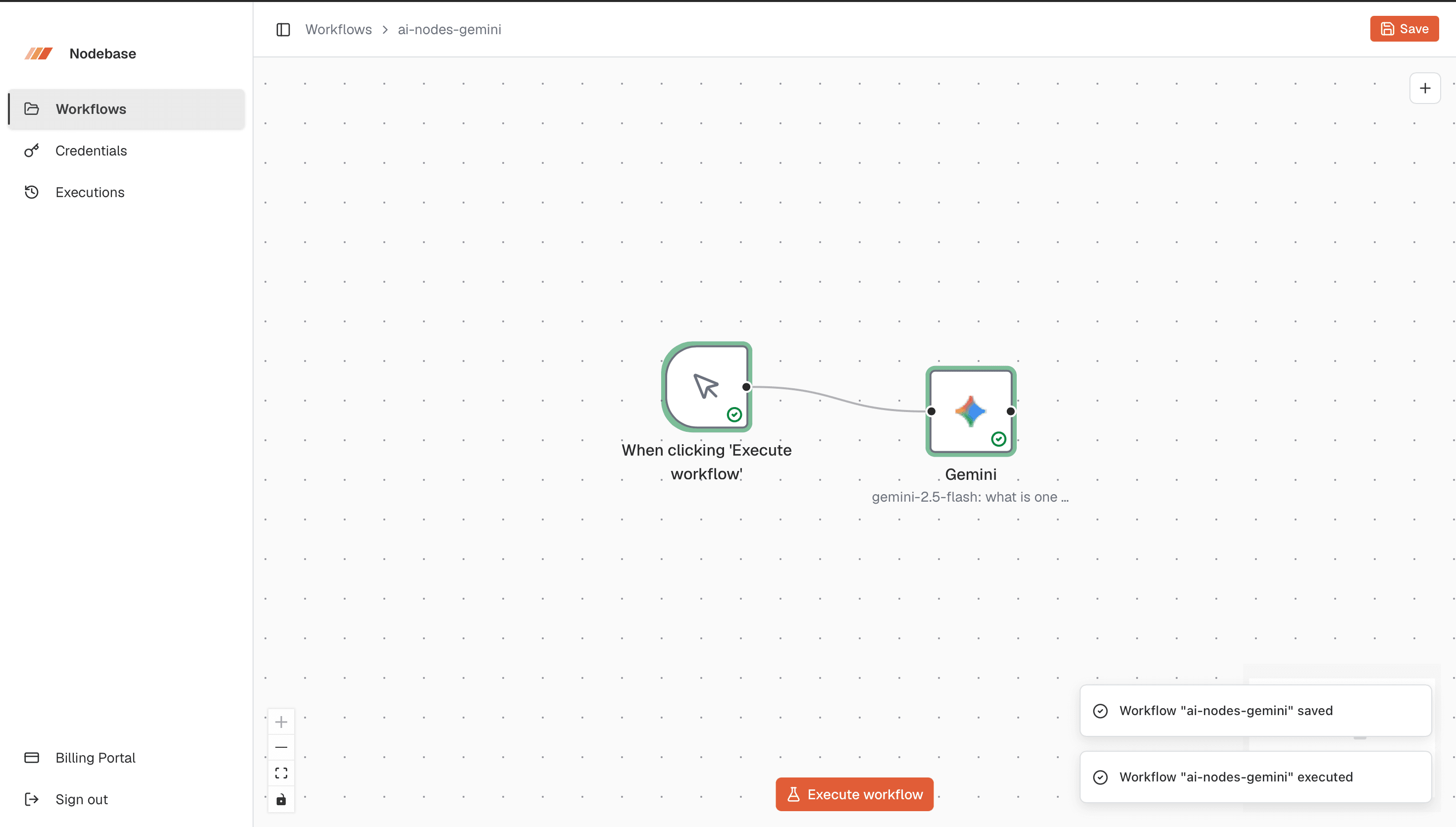
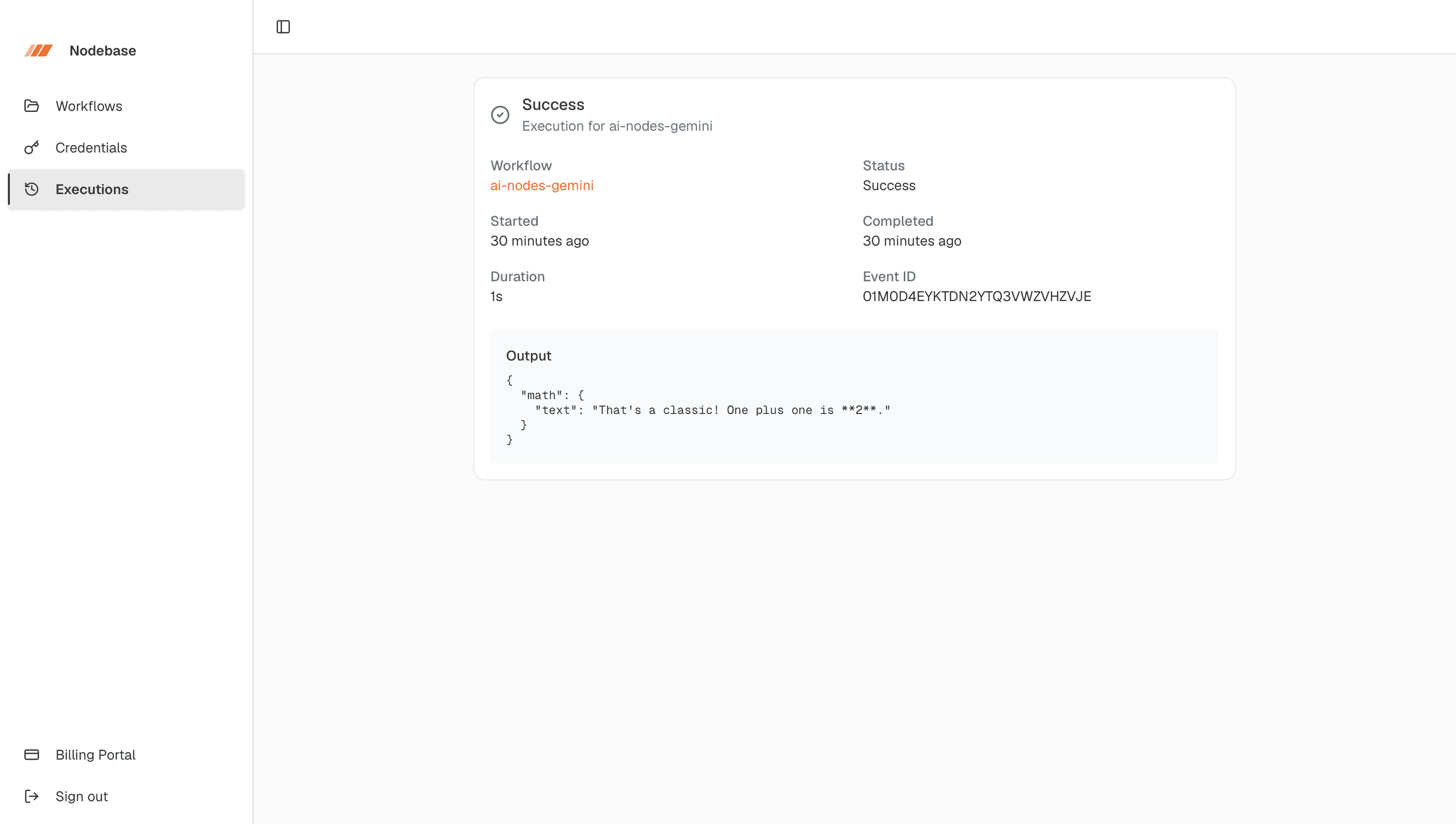
NODEBASE ======== Full-Stack Visual Workflow Automation Platform Version: Project Overview & Technical Reference OVERVIEW -------- Nodebase is a full-stack, visual workflow automation platform built with Next.js — essentially, "build your own Zapier." Users design workflows as connected graphs, connect triggers to actions, and Nodebase executes those workflows as reliable background jobs. Each node can be monitored in real time, while every workflow run is stored for later inspection. QUICK SUMMARY ------------- Nodebase provides: • Visual drag-and-drop workflow creation • Manual and webhook-based workflow triggers • AI-powered workflow nodes • HTTP and messaging actions • Variable and Handlebars-based data passing • Durable background execution with retries • Live node execution status • Complete execution history and error reporting • Email/password, GitHub, and Google authentication • Encrypted AI/provider credentials • Subscription billing and a self-service billing portal • Built-in monitoring, tracing, logs, and session replay 1. WHAT NODEBASE DOES ===================== WORKFLOW BUILDER ---------------- • Visual drag-and-drop editor for building workflows as node graphs • React Flow powers the workflow canvas • Nodes are connected using handles and directed connections • Each node represents a trigger, action, AI operation, or messaging operation TRIGGERS -------- Workflows can start from: • Manual execution • Google Forms submissions • Stripe events AI AUTOMATION ------------- AI nodes can directly call: • OpenAI • Anthropic (Claude) • Gemini ACTIONS ------- Nodebase supports actions such as: • HTTP requests • Discord messages • Slack messages DATA FLOW --------- Data moves between nodes using: • Runtime context • Node outputs • Variables • Handlebars templates RELIABLE EXECUTION ------------------ Workflows run as durable background jobs with: • Automatic retries • Execution tracking • Node-level status updates • Error capture • Stack traces • Complete execution history 2. HOW NODEBASE WORKS ===================== The workflow lifecycle is: STEP 1 — BUILD -------------- The user creates a workflow visually by connecting trigger and action nodes. Example: [Manual Trigger] -> [HTTP Request] -> [OpenAI] -> [Slack Message] STEP 2 — TRIGGER ---------------- A workflow starts when one of its triggers fires. Possible triggers: • Manual click • Google Forms submission • Stripe event STEP 3 — CREATE EXECUTION ------------------------- Nodebase creates an execution record and marks it as: RUNNING STEP 4 — DETERMINE EXECUTION ORDER ---------------------------------- The workflow graph is analyzed and nodes are topologically sorted so that dependencies are executed in the correct order. STEP 5 — EXECUTE NODES ---------------------- The executor registry selects the correct executor for each node type. Each node: 1. Receives the accumulated workflow context 2. Performs its operation 3. Produces an output 4. Adds or updates data in the context 5. Passes the updated context to the next node STEP 6 — LIVE PROGRESS ---------------------- Execution progress is streamed back to the editor through Inngest Realtime. Users can see nodes transition through their execution states while the workflow runs. STEP 7 — COMPLETE EXECUTION --------------------------- A successful workflow ends with: SUCCESS A failed workflow ends with: FAILED The execution history stores: • Final output • Error information • Stack trace • Timestamps • Execution status 3. ARCHITECTURE =============== Nodebase is organized into several major layers. ┌───────────────────────────────────────────────┐ │ PRESENTATION LAYER │ │ Next.js App Router + React + React Flow │ └──────────────────────┬────────────────────────┘ │ ┌──────────────────────▼────────────────────────┐ │ API / DATA LAYER │ │ tRPC + TanStack Query + Zod + │ │ SuperJSON │ └──────────────────────┬────────────────────────┘ │ ┌──────────────────────▼────────────────────────┐ │ AUTHENTICATION LAYER │ │ Better Auth │ └──────────────────────┬────────────────────────┘ │ ┌──────────────────────▼────────────────────────┐ │ PERSISTENCE LAYER │ │ Prisma + PostgreSQL │ └──────────────────────┬────────────────────────┘ │ ┌──────────────────────▼────────────────────────┐ │ WORKFLOW EXECUTION LAYER │ │ Inngest │ └──────────────────────┬────────────────────────┘ │ ┌──────────────┼──────────────┐ ▼ ▼ ▼ AI Providers Messaging HTTP/API OpenAI Discord Requests Anthropic Slack Gemini 4. PRESENTATION LAYER ===================== The presentation layer is built with the Next.js App Router. RESPONSIBILITIES ---------------- • Authentication pages • Dashboard • Workflow editor • Credential management • Execution history • Workflow visualization KEY TECHNOLOGIES ---------------- • Next.js App Router • React • React Flow • Jotai • shadcn/ui • Base UI STATE MANAGEMENT ---------------- Jotai manages editor-specific state. NODE COMPONENT REGISTRY ----------------------- A node component registry maps each database node type to its corresponding visual React component. Location: config/node-components.ts 5. API & DATA LAYER =================== The frontend communicates with the backend through tRPC. TECHNOLOGIES ------------ • tRPC 11 • TanStack Query • Zod • SuperJSON tRPC ---- Provides an end-to-end typed API. Benefits: • Strong TypeScript typing • No manually maintained API contracts • Safer frontend/backend communication TANSTACK QUERY -------------- Handles: • Server-state caching • Mutations • Loading states • Error states • Query invalidation ZOD --- Validates incoming API inputs. SUPERJSON --------- Safely serializes values such as Date objects across the network. AUTHORIZATION ------------- Protected routes verify the user's Better Auth session. This ensures users can only access their own: • Workflows • Credentials • Executions • Related resources 6. AUTHENTICATION LAYER ======================= Powered by Better Auth. SUPPORTED METHODS ----------------- • Email and password • GitHub OAuth • Google OAuth REGISTRATION ------------ Email/password registration automatically signs the user in after registration. AUTH HANDLER ----------- /api/auth/[...all] 7. PERSISTENCE LAYER ==================== Database technology: • Prisma 7 • PostgreSQL • Neon CORE DATABASE MODELS -------------------- 1. USER The account owner. Owns: • Workflows • Credentials 2. WORKFLOW Stores workflow metadata and ownership information. 3. NODE Represents an individual workflow node. Stores: • Node type • Position • Configuration 4. CONNECTION Represents a directed connection between two node handles. 5. CREDENTIAL Stores a user's encrypted provider credentials. 6. EXECUTION Stores information about a workflow run. Includes: • Status • Timestamps • Output • Errors 8. WORKFLOW EXECUTION ENGINE ============================ The execution engine is asynchronous and event-driven. Powered by: INNGEST EVENT ----- A manual click or webhook sends: workflows/execute.workflow INNGEST ENDPOINT ---------------- /api/inngest EXECUTION FLOW -------------- 1. Trigger fires 2. Event is sent to Inngest 3. Execution record is created 4. Execution status becomes RUNNING 5. Nodes are topologically sorted 6. Executor registry selects each executor 7. Nodes execute sequentially according to dependencies 8. Context is passed from node to node 9. Progress is streamed through Inngest Realtime 10. Execution ends with SUCCESS or FAILED RETRIES ------- Production runs automatically retry up to three times. Malformed events fail immediately and are not retried. 9. TRIGGER LAYER ================ Triggers determine how a workflow starts. MANUAL ------ Started from the authenticated workflow editor. GOOGLE FORMS ------------ Google Apps Script sends submissions to: /api/webhooks/google-form STRIPE ------ Stripe sends events to: /api/webhooks/stripe TRIGGER CONTEXT --------------- Data received by a trigger becomes the initial context available to later nodes. 10. CREDENTIALS & ENCRYPTION ============================ Users can store their own provider credentials for: • OpenAI • Anthropic • Gemini ENCRYPTION ---------- Credential values are encrypted using: Cryptr + ENCRYPTION_KEY The encrypted value is stored in the database. DECRYPTION ---------- Credentials are decrypted only in memory when a node needs them. IMPORTANT --------- The ENCRYPTION_KEY is critical. If the key is lost, previously stored credentials become permanently unreadable. Never commit encryption keys or other secrets to source control. 11. BILLING =========== Billing is handled by: POLAR Polar manages: • Subscription checkout • Customer records • Billing portal PREMIUM FEATURES ---------------- Premium features check the user's subscription status. If access is denied, Nodebase can display an upgrade modal. 12. OBSERVABILITY ================ Monitoring and observability are powered by: SENTRY SENTRY IS CONNECTED TO ---------------------- • Client runtime • Node.js runtime • Edge runtime FEATURES -------- • Error reporting • Performance tracing • Logs • Session replay • Source maps 13. TECH STACK ============== FRAMEWORK --------- Next.js 16 React 19 TypeScript STYLING ------- Tailwind CSS 4 shadcn/ui Base UI WORKFLOW CANVAS --------------- React Flow Jotai API --- tRPC 11 TanStack Query Zod SuperJSON DATABASE -------- Prisma 7 PostgreSQL Neon AUTHENTICATION -------------- Better Auth BACKGROUND JOBS --------------- Inngest AI -- Vercel AI SDK OpenAI SDK Anthropic SDK Google AI SDK TEMPLATING ---------- Handlebars SECURITY -------- Cryptr BILLING ------- Polar MONITORING ---------- Sentry FORMS & UX ---------- React Hook Form nuqs Sonner HOSTING ------- Vercel 14. WORKFLOW NODE TYPES ======================= TRIGGER NODES ------------- • Initial • Manual • Google Forms • Stripe NETWORK NODES ------------- • HTTP Request AI NODES -------- • OpenAI • Anthropic • Gemini MESSAGING NODES --------------- • Discord • Slack NODE ARCHITECTURE ----------------- Each node typically contains four major pieces: 1. Configuration Dialog Controls the node's settings in the editor. 2. Visual Node Component Represents the node on the React Flow canvas. 3. Server Action Handles server-side operations required by the node. 4. Executor Contains the runtime behavior used when the workflow executes. EXECUTOR REGISTRY ----------------- The executor registry is the single source of truth for mapping node types to their runtime behavior. Location: features/executions/lib/executor-registry.ts 15. DATA FLOW BETWEEN NODES =========================== Nodebase uses accumulated execution context. Example: Trigger Output | v { name: "Mohamed", orderId: "1234" } | v HTTP Request | v { status: "paid", amount: 500 } | v AI Node | v Generated response | v Slack Message Handlebars templates can reference values from the workflow context. Example: {{name}} {{orderId}} This allows information produced by one node to be reused by later nodes. 16. REPOSITORY STRUCTURE ======================== app/ Pages, layouts, and API route handlers components/ Shared application, editor, and UI components config/ Constants and visual node registry features/ Domain-specific application features auth/ Authentication interface credentials/ Encrypted credential management editor/ Workflow canvas and editor state executions/ Executors, nodes, and execution history subscriptions/ Subscription state triggers/ Manual and webhook triggers workflows/ Workflow CRUD and list interface inngest/ Inngest client, functions, channels, and execution helpers lib/ Authentication Database Encryption Polar Utilities prisma/ Database schema and migrations public/logos/ Provider assets trpc/ Client Server Query cache Application router 17. IMPORTANT FILE LOCATIONS ============================ DATABASE -------- prisma/schema.prisma Purpose: Database models and relationships. API COMPOSITION --------------- trpc/routers/_app.ts Purpose: Main tRPC application router. WORKFLOW ORCHESTRATION ---------------------- inngest/functions.ts Purpose: Workflow execution functions and orchestration. NODE EXECUTION MAPPING ---------------------- features/executions/lib/executor-registry.ts Purpose: Maps node types to their runtime executors. VISUAL NODE MAPPING ------------------- config/node-components.ts Purpose: Maps node types to their visual React components. INNGEST ROUTE ------------- app/api/inngest/route.ts Purpose: Registers the Inngest endpoint with the Next.js application. 18. SECURITY CHECKLIST ====================== ENVIRONMENT VARIABLES --------------------- [ ] Keep secrets only in environment variables [ ] Never commit secrets to Git [ ] Protect production environment variables ENCRYPTION ---------- [ ] Back up ENCRYPTION_KEY securely [ ] Never expose decrypted credentials to the client [ ] Never log decrypted API keys STRIPE ------ [ ] Add Stripe webhook signature verification [ ] Reject requests with invalid signatures [ ] Validate Stripe event payloads PUBLIC WEBHOOKS --------------- [ ] Verify webhook senders [ ] Validate workflow ownership [ ] Prevent unauthorized workflow execution [ ] Validate incoming payloads SENTRY / PRIVACY ---------------- [ ] Review PII collection [ ] Review tracing configuration [ ] Review session replay settings [ ] Ensure configuration matches the production privacy policy 19. PRODUCTION READINESS ======================== Before deploying Nodebase for real users: AUTHENTICATION -------------- [ ] Verify OAuth redirect URLs [ ] Verify production auth base URL [ ] Test GitHub login [ ] Test Google login [ ] Test email/password registration and login DATABASE -------- [ ] Verify production PostgreSQL connection [ ] Run Prisma migrations [ ] Verify database indexes and relationships INNGEST ------- [ ] Configure production Inngest credentials [ ] Verify the event key [ ] Verify /api/inngest [ ] Test workflow retries [ ] Test failed executions CREDENTIALS ----------- [ ] Configure ENCRYPTION_KEY [ ] Back up ENCRYPTION_KEY [ ] Test credential encryption/decryption WEBHOOKS -------- [ ] Verify Google Forms webhook [ ] Verify Stripe webhook [ ] Add Stripe signature verification [ ] Validate webhook ownership BILLING ------- [ ] Configure Polar [ ] Test checkout [ ] Test subscription status [ ] Test billing portal [ ] Test premium feature restrictions OBSERVABILITY ------------- [ ] Configure Sentry [ ] Verify source maps [ ] Review session replay settings [ ] Review PII/privacy settings 20. END-TO-END EXAMPLE ====================== Imagine a workflow: Google Form | v HTTP Request | v Gemini | v Slack FLOW ---- 1. A user submits a Google Form. 2. Google Apps Script sends the submission to Nodebase. 3. Nodebase validates the webhook request. 4. A workflow execution is created. 5. The execution status becomes RUNNING. 6. The Google Forms data becomes the initial workflow context. 7. The HTTP Request node executes. 8. Its output is added to the context. 9. The Gemini node reads the available context. 10. Gemini generates a response. 11. The Slack node receives the generated output. 12. Slack sends the message. 13. Nodebase marks the execution as SUCCESS. 14. The complete execution is stored in execution history. If any node fails: • The error is captured • The stack trace is stored • The execution becomes FAILED • Production retry rules are applied • The user can inspect the failed execution afterward 21. CORE DESIGN PRINCIPLES ========================== Nodebase is built around several important principles: TYPE SAFETY ----------- tRPC + TypeScript + Zod provide strongly typed communication between frontend and backend. MODULARITY ---------- Features are separated by domain, making the application easier to maintain and extend. SINGLE SOURCE OF TRUTH ---------------------- The executor registry centrally maps node types to their runtime behavior. SECURITY BY DEFAULT ------------------- Credentials are encrypted and protected by authenticated ownership checks. DURABLE EXECUTION ----------------- Inngest handles background execution, retries, and reliable workflow processing. OBSERVABILITY ------------- Every workflow execution can be inspected through status, output, errors, and stack traces. EXTENSIBILITY ------------- New workflow nodes can be added by implementing the expected configuration, UI, server action, and executor components. 22. FUTURE HARDENING PRIORITIES =============================== HIGH PRIORITY ------------- 1. Verify Stripe webhook signatures. 2. Secure all public webhook routes. 3. Validate workflow ownership before execution. 4. Protect and back up ENCRYPTION_KEY. 5. Verify all production OAuth redirect URIs. 6. Secure production Inngest configuration. 7. Review Sentry PII and session replay settings. MEDIUM PRIORITY --------------- 1. Add more workflow trigger types. 2. Add more integrations. 3. Improve execution debugging. 4. Add richer execution logs. 5. Add workflow versioning. 6. Add more granular permissions. LONG-TERM --------- 1. Workflow templates 2. Team collaboration 3. Marketplace for integrations 4. Custom node SDK 5. Advanced scheduling 6. Workflow analytics 7. Multi-step branching and conditions 23. QUICK REFERENCE =================== PROJECT ------- Nodebase PURPOSE ------- Visual workflow automation platform FRONTEND -------- Next.js 16 + React 19 BACKEND API ----------- tRPC 11 DATABASE -------- Prisma 7 + PostgreSQL + Neon AUTH ---- Better Auth WORKFLOW ENGINE --------------- Inngest AI -- OpenAI Anthropic Gemini MESSAGING --------- Discord Slack BILLING ------- Polar SECURITY -------- Cryptr OBSERVABILITY ------------- Sentry HOSTING ------- Vercel PRIMARY EXECUTION EVENT ----------------------- workflows/execute.workflow PRIMARY INNGEST ROUTE --------------------- /api/inngest PRIMARY DATABASE SCHEMA ----------------------- prisma/schema.prisma PRIMARY EXECUTOR REGISTRY ------------------------- features/executions/lib/executor-registry.ts PRIMARY NODE COMPONENT REGISTRY -------------------------------- config/node-components.ts PRIMARY API ROUTER ------------------ trpc/routers/_app.ts